PDA

View Full Version : Tutorial - How to create a basic roof with different slope angles


feldynn
8th Jun 2009, 04:20 PM
This is a quick tutorial describing how to set roof sections with differing slope angles. Basically it's the exact same technique as used in TS2, though it seems to be much more reliable in TS3, so if you've used it before in TS2 you shouldn't have any issues :).

NOTE: The "adjust roof height" slider is a global change, it will adjust the WHOLE roof whenever you change the roof height so once you have all your roof sections at the desired angles you cannot change the height of individual sections. You have to demolish correct sections, adjust the ones you want and "undo" the demolish.

Each step has a corresponding screenshot with a basic explanation of what to do, I thought about linking them directly into the post but I decided not to as it started to clutter it up.


Step 01
Create your basic wall structure. For the purpose of this tutorial I've used two rooms with a one-square gap between them, with a wall divider above the gap to help illustrate the differing roof heights.

Step 02
Add the roof sections / styles as you desire. For the purpose of this tutorial I changed the colour of the roof wall sections to help illustrate the difference between the two sides once they are height adjusted.

Step 03
In this tutorial (see the screenshots) the left side of the roof is section 01 and the right is section 02. Adjust the height of roof section 01 to the desired level using the slider.

Step 04
Remove roof section 01, my prefered method is to hold Ctrl and left click while in the roofing tool but the Sledgehammer tool works just as well.. use whichever deleting method you feel comfortable with.

Step 05
Use the slider to adjust the height of the remaining roof section (Roof 02).

Step 06
Click the "Undo" button, this should replace the previously deleted section of roof (Roof 01). Since the roof height was low when the roof section was deleted, it is restored at that same reduced height and not the current roof height.

You should now have 2 roof sections at 2 different heights, the left being low and the right being high. As in the note at the top you cannot adjust the height of each section independantly, you have to remove the pieces you don't want to change and replace them (i.e. undo the delete(s)) once you've made the adjustments.

Step 07
Apply the same technique to an actual house. I've only experimented with two differing heights as described in the tutorial so I don't know how many different heights you can have use with larger houses, but I don't see why you couldn't have 3 or 4 or more so long as you start with a full roof then delete each piece once the height / angle is set and "undo" the deletes at the end.

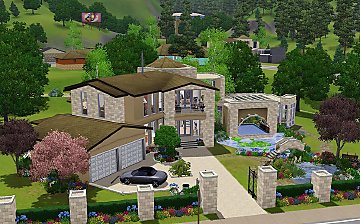
As an example I made a basic house (similar to the structure in the tutorial screenshots) to hopefully show how it might look to have roof sections at different heights. The two side roofs are set high about to the level of the top of the wall, the top roof and the piece above the door both have a fairly low roof height.


Hopefully this all makes sense and is helpful to anyone wanting to have some fun with roofing, if I've made any glaring mistakes or errors please let me know :)

jenba
8th Jun 2009, 07:50 PM
Ooh, I can't wait to try this out! Thanks!

Illanair
9th Jun 2009, 06:44 AM
Oh! Clever way to get around the issue. Guess that only proves that Maxis got lazy and didn't re-implement the seperate slider option. Hope they'll add it soon. :/

QBUILDERZ
10th Jun 2009, 04:56 PM
http://www.modyourpanties.com/images/090610115432-Screenshot-20.jpg

Thank you for the tutorial, but I think you can cut back on the steps, I managed to do the whole house using only 4 of the steps...

place
delete
change
undo

keef1973
12th Jun 2009, 09:58 AM
It was a blow to builders when we were unable to have different roof pitches, this is a most needed tutorial...thanks

baltasour
14th Jun 2009, 09:23 PM
Hi ))
I from Russia, know English badly.... This my first message))
I if fairly have understood nothing from written and I will not be afraid to ask:
How I have understood it tutorial on barn building?

girlfromverona
16th Jun 2009, 07:17 AM
Ok, you seriously rock! I've been wondering how to do this. Thanks so much. :)

efire
16th Jun 2009, 06:31 PM
Thank you! Much appreciated!

GLachaille
18th Jun 2009, 03:29 PM
Yes!! I am so glad someone figured this out! Thank you. A whole new group of houses I can now rebuild from Sims 2!

KrazyKat81
19th Jun 2009, 10:47 PM
fantastic that this hs been figured out - it's soo simple too! Thank you.

jacinthepirate
20th Jun 2009, 01:21 AM
So, if I'm understanding this right, with this emthod you can have only 2 different angles on a given lot, correct?

patul
20th Jun 2009, 06:39 AM
No Jacin,
If you have N roofs, just remove N-1 roofs adjust the last one then Undo N-1 times
a screenshot of 3 bellow

romagi
20th Jun 2009, 06:49 PM
I have to say this is great! I have used it on several of my homes. The last one I have 5 different roof heights!

Thanks! *HUGS*

Srikandi
21st Jun 2009, 06:06 AM
Wow awesome :)

Makes me raise my eyebrows though, since as Illinair said, it proves that there wasn't some deep technical issue preventing the devs from simply making the slider work like it does in M+G :p

Nitrogen [2]
21st Jun 2009, 05:11 PM
Devs could make this game great, mabye legendary. They're just too lazy to heard to the community and realize even the easiest-to-implement whish.

sadie7684
22nd Jun 2009, 05:07 PM
This tutorial was really easy for me to follow. Everything came out as mentioned until I went from step 6 to step 7. I guess what I'm trying to say is that I don't understand how that roof ends up looking like a gambrel roof. Seems as tho I am the only one who is confused and any help would be appreciated. Other that that, great tutorial! :)

feldynn
23rd Jun 2009, 01:34 PM
To do the Gambrel style roof you use the same basic technique in the tutorial (placing roof, delete sections, adjusting height, undoing deletes, etc) it's just how you treat the sections of roof. In the tutorial you have 2 different roof heights (roof 1 and 2) and 2 sections of roof, the basic Gambrel roof still has just 2 different roof heights but there are 4 roof sections.

The quickest way (assuming you've built all 4 roof sections and they're the default height) is to increase the roof height so the sides are just below the top of the wall / edge of the top roof. Don't worry that the top roof and the piece over the door are high and silly looking, that'll get fixed next.

Delete / sledgehammer the two side sections, then lower the roof height so the top section and the doorway section are a lot lower / flatter, hit the Undo button to bring back the side roofs and you should have a basic Gambrell.. hopefully :).

I threw together a few quick screenshots that hopefully help illustrate what I'm talking about :), hopefully it all makes sense.

sadie7684
23rd Jun 2009, 04:59 PM
Thank you so very much feldynn!! I have been struggling since Sims 2 trying to make gambrel roofs and I got so frustrated that I never finished. I'm going to finish building my house now and if it comes out good maybe I'll even upload it! So thanks again for all your help :)

ash3sandgh0sts
26th Jun 2009, 12:24 AM
Lovely. I was struggling to figure this one out, and thought I had on accident...but then couldn't remember what I had done! :cry: I was amazed that the developers didn't add this as a basic build tool. Oh well.

That's what we have MTS for. :giggler:

beatdoc16
26th Jun 2009, 06:16 AM
My god, I can't believe I haven't read this until just now!! Thanks so much, a VERY much needed tute indeed, I was dying without individual roof angles!!

swalker
26th Jun 2009, 05:32 PM
Thank you soooo much! I was struggling with covered porches since they had funky steep roofs that covered the windows of the upper stories! I am so glad I can fix this now!

QBUILDERZ
26th Jun 2009, 06:39 PM
This is more of a useless post than anything but I wanted to say that I used your technique as well as beefysims1 for my tutorial and I wanted to make sure that I gave you your credit and that you were aware of it ;)

Thanks!

feldynn
26th Jun 2009, 08:16 PM
This is more of a useless post than anything but I wanted to say that I used your technique as well as beefysims1 for my tutorial and I wanted to make sure that I gave you your credit and that you were aware of it ;)

Thanks!

Pfft it's not a useless post ;) .. I did see the mention in your tutorial, wasn't necessary but thankyou and thankyou for popping by here too. It is much appreciated, and good to know that what I write actually makes sense outside of my own head :D .

Shimrod101
27th Jun 2009, 05:11 PM
Is there any way to place a roof (Sims3) when the height is uneven? I have my outside walls on the ground, in the middle of the house is a foundation area to make a raised floor. This raised floor has a roof over it way up on top, but this roof cannot be dragged over manually to connect to the outside walls, it says: cannot be placed because roof height uneven. If I try putting on auto roof it won't show any roof at all.

bubbajakecass
27th Jun 2009, 10:41 PM
THANK YOU, without IRSA from sims2 ive been nuys, this is great , would have never thought of it .....

feldynn
28th Jun 2009, 01:16 AM
Is there any way to place a roof (Sims3) when the height is uneven? I have my outside walls on the ground, in the middle of the house is a foundation area to make a raised floor. This raised floor has a roof over it way up on top, but this roof cannot be dragged over manually to connect to the outside walls, it says: cannot be placed because roof height uneven. If I try putting on auto roof it won't show any roof at all.

I don't know offhand of a way to take roof across two different heights, might be possible to do something with the CFE cheat, but if that worked it would probably mess up the house structure.

One option that did just spring to mind is the tutorial by Beefysim1 here about sunken rooms, instead of having a room with a section of raised floor (2 different heights) you could have a room at the foundation level with a cutaway area and the full length windows. If that would work for what you're trying to build.

I'll try some experiments with CFE too, see if it'll do anything interesting / useful with the roof :).

Shimrod101
28th Jun 2009, 11:28 AM
Thanks for the info, I'll check the tutorial to see if your suggestion is a better way of doing things.

feldynn
29th Jun 2009, 02:28 PM
Looks like CFE doesn't work with roof crossing height boundries, it's probably something to do with it being a difference in floor level.. moving from ground level to ground +1 (i.e. 2nd floor or foundation level). I did manage to mash up a couple of alternative roof styles but neither really looks that great.

If your raised floor / foundation area is kinda in the middle and you have a complete block of wall placed at ground level running all the way around you may be able to put one giant roof across the whole thing, the only other alternative I found is to put walls up around the foundation area then build a roof on it (might have to lay some floor on top the walls to give you extra tiles to click / drag to to make the roof work). You can delete all the extra floor / walls needed to place the center roof afterwards, but if you want to change the roof again you may have to add them in (unless it's just delete / undo to make them different heights).

I used the Hipped roof on the center raised part, half hipped roof around the side taking them up to the edge of the raised walls and adjusted the height so it looked at least vageuly sensible. It's not perfect and could probably be made better with more experimenting depending on what your structure looks like, I have included some screenshots of what I mashed together. Hopefully it'll help :)

Darim
29th Jun 2009, 02:59 PM
I know a way! I think... you'll have to make a dummy level around the house that is the same height as the foundation (4 clicks if I'm right). You can do this by using the constrainfloorelevation false and level the ground from the foundation and onto the wall around. Now you should have 1/4th of a wall. Then you build another wall ontop of those, and the roof should now be the same height, and the same level :)

I think that would work, I can't test it though 'cause I'm leaving in half an hour. So no screenies either =3

feldynn
29th Jun 2009, 04:01 PM
I know a way! I think... you'll have to make a dummy level around the house that is the same height as the foundation (4 clicks if I'm right). You can do this by using the constrainfloorelevation false and level the ground from the foundation and onto the wall around. Now you should have 1/4th of a wall. Then you build another wall ontop of those, and the roof should now be the same height, and the same level :)

I think that would work, I can't test it though 'cause I'm leaving in half an hour. So no screenies either =3

That way would work too :), it depends really on what kind of structure Shimrod101 is working with. Using the dummy wall level / CFE type method could mess up internal wall structures and doors if there are rooms on the ground level area, though you could raise them up onto the foundation / dummy wall level too.

daistarr3
30th Jun 2009, 01:51 AM
I have so many ideas now thanks to your tutorial. :)

grodan2859
9th Jul 2009, 07:10 AM
Aww thank you so much. This is a very useful tut. Huggles to you

Darim
9th Jul 2009, 07:46 AM
That way would work too :), it depends really on what kind of structure Shimrod101 is working with. Using the dummy wall level / CFE type method could mess up internal wall structures and doors if there are rooms on the ground level area, though you could raise them up onto the foundation / dummy wall level too.

Indeed. But you should always plan ahead when using dummy levels. Use them as foundation and make all the walls exactly alike, and you won't get any of the warped walls.

Salouma
20th Jul 2009, 02:41 AM
Thanks very much .. there is just one thing that bothers me a lot

Whenever i try to build a roof, the supporting walls are the only thing that shows up, the roof it self does not show up in my game.. although it is shown when i am in the town view.. but when i build a house it does not show up and i can not figure out how does ma roof look like

QBUILDERZ
20th Jul 2009, 08:16 PM
You have to go up a floor above the top floor to have your roof appear.

Salouma
20th Jul 2009, 10:00 PM
that is what i do and still nothing ..

feldynn
23rd Jul 2009, 10:08 PM
That's weird, the only thing I know of relating to this is a sticky note I spotted on the EA / Sims 3 message board..

Quoted from - http://forum.thesims3.com/jforum/posts/list/33653.page

We've been getting a lot of reports from the community where they've encountered a bug during their game play that the roof is missing from their Sim's homes. We've looked into this issue and discovered that the people who encountered this problem were using a Intel GMA 950 Graphics Card. This is below the minimum spec requirements which causes the bug to occur. Our suggestion is to upgrade your graphics card so that it meets our minimum spec requirements.

Happy Simming!

-Poptart

Not sure if that's going to be of any use or not, but that's the only thing I've heard of regarding missing roof.

Robert_AF709
5th Aug 2009, 06:06 PM
Thank you for sharing that trick with us Feldynn! I hope that you know someone that can make a game mod to lock roof slopes. Using a house with different roof slopes makes me nervous because if that roof slope slider tool is used at all, that house is ruined.

Buttnuggit
14th Nov 2009, 09:52 PM
This is something to try...can't wait! :bunny: