
 Sign in to Mod The Sims
 Vintage Whimsy Clothing and Accessories
 Vintage Whimsy Clothing and Accessories
MTS has all free content, all the time. Donate to help keep it running.
SCREENSHOTS
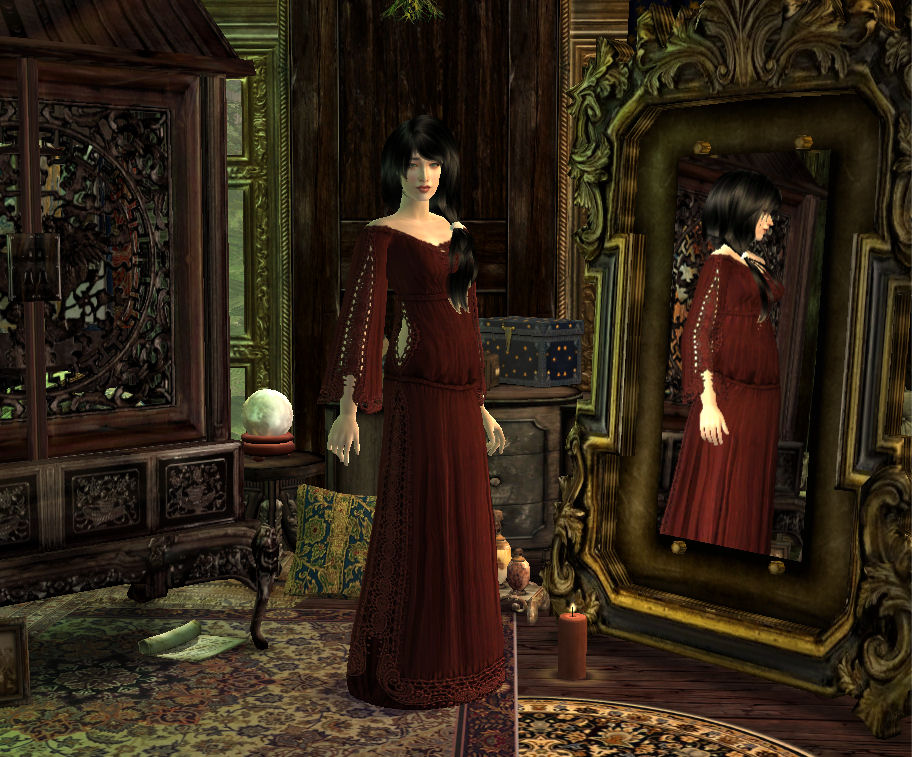


FrontPage.jpg - width=912 height=757
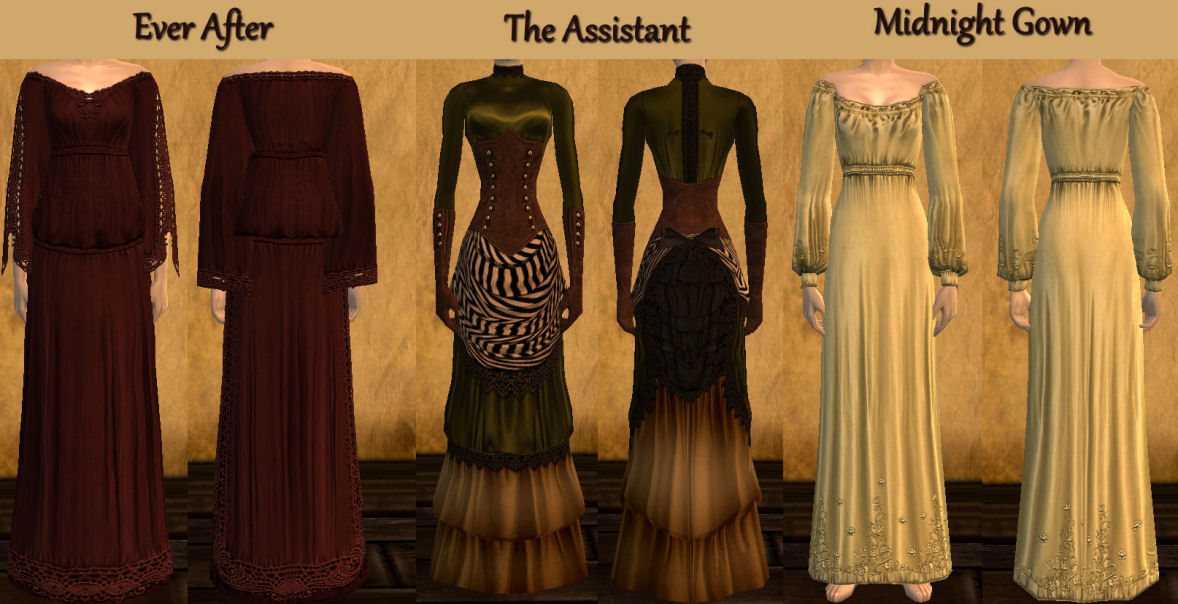
EverAfterTheAssistantAndMidnightPic.jpg - width=1178 height=604
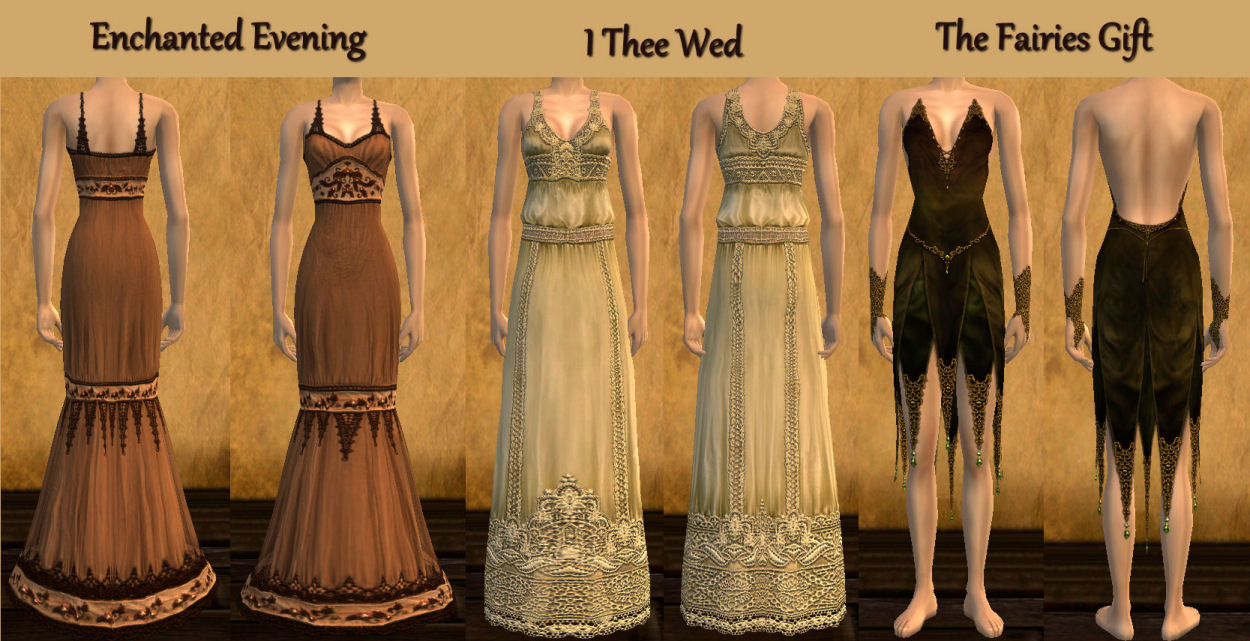
EnchantedITheeWedAndFairyPic.jpg - width=1250 height=641
TheSpidersWebAndGypsyPic.jpg - width=1075 height=860
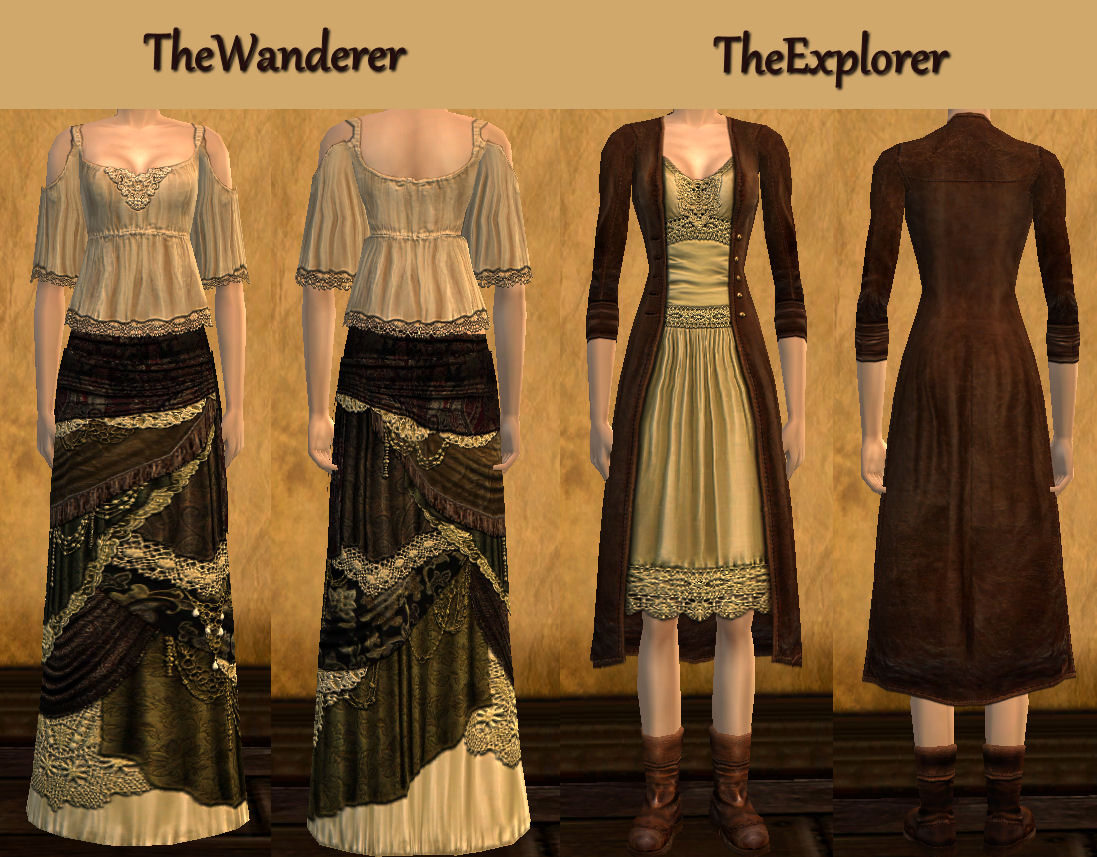
TheWandererAndTheExplorerPic.jpg - width=1097 height=857
NecklacesAndMasks.jpg - width=1037 height=892
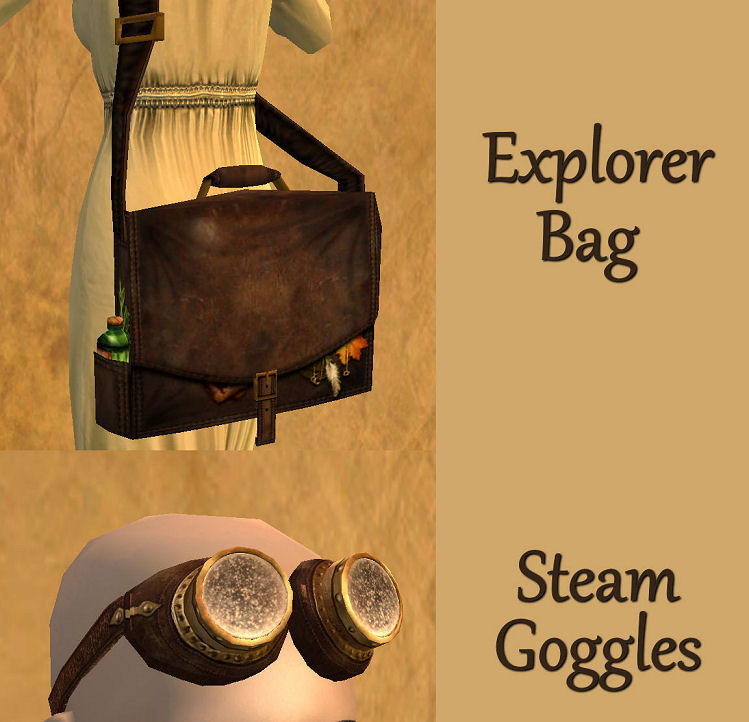
ExplorerBagAndSteamGogglesPic.jpg - width=749 height=722
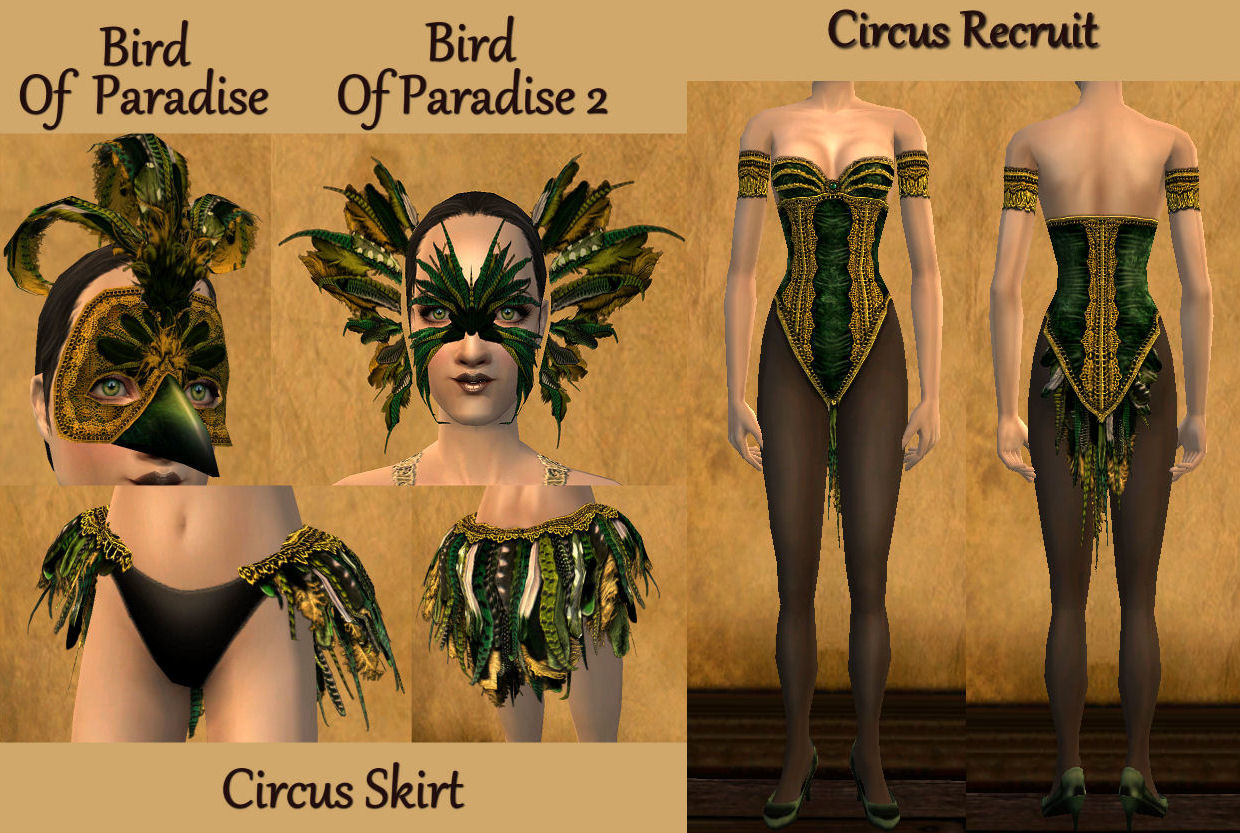
CircusSetPic.jpg - width=1240 height=833
Featured Upload!
This is a featured upload! It showcases the best talent and creativity available on MTS and in the community. 

Hello again everyone 
today i have a rather large set of clothing, and accessories, inspired by vintage 1920s and earlier fashions. it consists of 11 dresses, 6 masks, 3 necklaces, 1 skirt, 1 bag, and 1 pair of goggles.
i worked on this set off and on for about 2 years, and originally this set was going to contain a small story, and 2 sims from that story (you may have seen it in my journal) but I'm afraid i lost my enthusiasm for finishing it. i am still very happy with this set, and wanted to share it with you even though my original vision for it never happened.
i have run out of picture space to show the completely assembled Circus outfit, but it takes all pieces shown in the picture (both masks stack to make one elaborate mask, and the accessory skirt was made to fit over the Circus Recruit dress) you can see pics of the combinations in my latest journal entry here
Requirements
By Justsims2
TheWanderer, The Spiders Web, and EverAfter dresses require This Mesh and the I TheeWed dress requires This Mesh
By CryingCorvus
The Assistant dress requires This Mesh
By Aligeth
the MidnightGown requires This Mesh
By Kavar and Marvine
the The BlackWidow, Goddess, Pearl, and Bird Of Paradise 2, masks require This Mesh
By BOBBY
the Circus Skirt requires - LONG TUTU -Mesh
registration is required
By Generalzoi
the Explorer Bag requires the Messenger bag Mesh
NightLife is required for the Steam Goggles
=================================================================================================
Included
Enchanted Evening dress mesh by lidiqnata
The FairiesGift, Gypsy, and The Explorer dress meshes by Clubcrimsyn
the Circus Recruit dress mesh by Nouk
Ivy, Star, and Scarlet necklace mesh by Lianna Sims2
The MauveMacaw, and Bird Of Paradise mask mesh by Clubcrimsyn
==================================================================================================
a HUGE thank you too,
Justsims2
Clubcrimsyn
Lianna Sims2
BOBBY
Kavar and Marvine
lidiqnata
Aligeth
CryingCorvus
Nouk
Generalzoi
for the meshes, with out you this set would not be possible
===================================================================================================
i hope you all enjoy
Additional Credits:
Coolsims for the hair on the front page.

today i have a rather large set of clothing, and accessories, inspired by vintage 1920s and earlier fashions. it consists of 11 dresses, 6 masks, 3 necklaces, 1 skirt, 1 bag, and 1 pair of goggles.
i worked on this set off and on for about 2 years, and originally this set was going to contain a small story, and 2 sims from that story (you may have seen it in my journal) but I'm afraid i lost my enthusiasm for finishing it. i am still very happy with this set, and wanted to share it with you even though my original vision for it never happened.
i have run out of picture space to show the completely assembled Circus outfit, but it takes all pieces shown in the picture (both masks stack to make one elaborate mask, and the accessory skirt was made to fit over the Circus Recruit dress) you can see pics of the combinations in my latest journal entry here
Requirements
By Justsims2
TheWanderer, The Spiders Web, and EverAfter dresses require This Mesh and the I TheeWed dress requires This Mesh
By CryingCorvus
The Assistant dress requires This Mesh
By Aligeth
the MidnightGown requires This Mesh
By Kavar and Marvine
the The BlackWidow, Goddess, Pearl, and Bird Of Paradise 2, masks require This Mesh
By BOBBY
the Circus Skirt requires - LONG TUTU -Mesh
registration is required
By Generalzoi
the Explorer Bag requires the Messenger bag Mesh
NightLife is required for the Steam Goggles
=================================================================================================
Included
Enchanted Evening dress mesh by lidiqnata
The FairiesGift, Gypsy, and The Explorer dress meshes by Clubcrimsyn
the Circus Recruit dress mesh by Nouk
Ivy, Star, and Scarlet necklace mesh by Lianna Sims2
The MauveMacaw, and Bird Of Paradise mask mesh by Clubcrimsyn
==================================================================================================
a HUGE thank you too,
Justsims2
Clubcrimsyn
Lianna Sims2
BOBBY
Kavar and Marvine
lidiqnata
Aligeth
CryingCorvus
Nouk
Generalzoi
for the meshes, with out you this set would not be possible
===================================================================================================
i hope you all enjoy
Additional Credits:
Coolsims for the hair on the front page.
This is a new mesh recolour, and means that you will need to download the particular mesh itself in order for this to show up in your game. See the Meshes Needed section or read the text for more information.
| Filename | Size | Downloads | Date | |||||
|
Circus outfit.zip
Size: 1.33 MB · Downloads: 17,217 · 8th Apr 2012 |
1.33 MB | 17,217 | 8th Apr 2012 | |||||
|
accessories.zip
Size: 672.9 KB · Downloads: 21,180 · 8th Apr 2012 |
672.9 KB | 21,180 | 8th Apr 2012 | |||||
|
Clothing.zip
Size: 9.58 MB · Downloads: 30,166 · 8th Apr 2012 |
9.58 MB | 30,166 | 8th Apr 2012 | |||||
| For a detailed look at individual files, see the Information tab. | ||||||||
Key:
- - File was updated after upload was posted
Install Instructions
Basic Download and Install Instructions:
1. Download: Click the download link to save the .rar or .zip file(s) to your computer.
2. Extract the zip, rar, or 7z file.
3. Place in Downloads Folder: Cut and paste the .package file(s) into your Downloads folder:
1. Download: Click the download link to save the .rar or .zip file(s) to your computer.
2. Extract the zip, rar, or 7z file.
3. Place in Downloads Folder: Cut and paste the .package file(s) into your Downloads folder:
- Origin (Ultimate Collection): Users\(Current User Account)\Documents\EA Games\The Sims™ 2 Ultimate Collection\Downloads\
- Non-Origin, Windows Vista/7/8/10: Users\(Current User Account)\Documents\EA Games\The Sims 2\Downloads\
- Non-Origin, Windows XP: Documents and Settings\(Current User Account)\My Documents\EA Games\The Sims 2\Downloads\
- Mac: Users\(Current User Account)\Documents\EA Games\The Sims 2\Downloads
- Mac x64: /Library/Containers/com.aspyr.sims2.appstore/Data/Library/Application Support/Aspyr/The Sims 2/Downloads
- For a full, complete guide to downloading complete with pictures and more information, see: Game Help: Downloading for Fracking Idiots.
- Custom content not showing up in the game? See: Game Help: Getting Custom Content to Show Up.
- If you don't have a Downloads folder, just make one. See instructions at: Game Help: No Downloads Folder.
Meshes needed
This download requires one or more meshes to work properly. Please check the Description tab for information about the meshes needed, then download them below:| MTS cannot guarantee any off-site links will be available |
| School Days Accessory Pack by generalzoi |
| insimenator.org/index.php/topic,40810.0.html (non-MTS link) |
| justsims2.ru/index.php?Module=File&IdFile=2362 (non-MTS link) |
| justsims2.ru/index.php?Module=File&IdFile=2361 (non-MTS link) |
| modthesims.info/member.php?u=652138 (non-MTS link) |
Also Thanked - Users who thanked this download also thanked:
Packs Needed
None, this is Sims 2 base game compatible!
Other Information
Age:
– Adult
Gender:
– Female
Clothing Type:
– Everyday
– Formal
– Sleepwear
– Athletic
Clothing Style:
– No Style
: None of the below styles
Other Type:
– Not Applicable
Maxis Flags:
– Not Applicable
Outfit Type:
– Full Outfit
Tags
some info
im not taking request right now guys sorry :( i just have way to many of my own ideas to make that i don't have time for any extra ones :)
you are more than welcome to use my creations in pictures and movies, i love seeing people use my stuff :) and although i always appreciated credit i don't require it for this at all.
At the moment i don't make content for the sims 3, or 4.
if anyone would like to convert my textures to the sims 3, or 4, they are more than welcome to do so, i just ask for a little credit for the original textures. thank you :)
you are more than welcome to use my creations in pictures and movies, i love seeing people use my stuff :) and although i always appreciated credit i don't require it for this at all.
At the moment i don't make content for the sims 3, or 4.
if anyone would like to convert my textures to the sims 3, or 4, they are more than welcome to do so, i just ask for a little credit for the original textures. thank you :)
More Downloads BETA
Here are some more of my downloads: