
 Sign in to Mod The Sims
 The Senate Gown for Queen Amidala- Ep I
 The Senate Gown for Queen Amidala- Ep I
MTS has all free content, all the time. Donate to help keep it running.
SCREENSHOTS
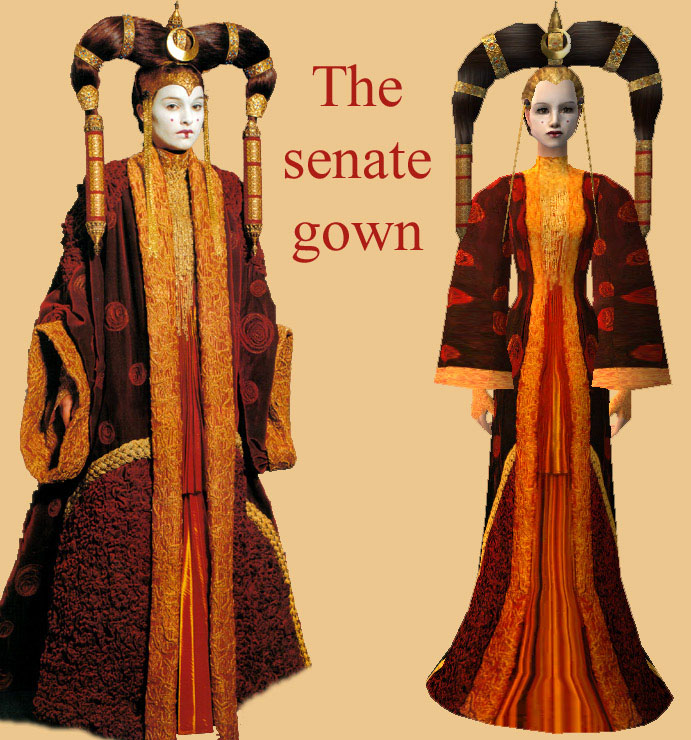
senate_gown.jpg - width=691 height=740
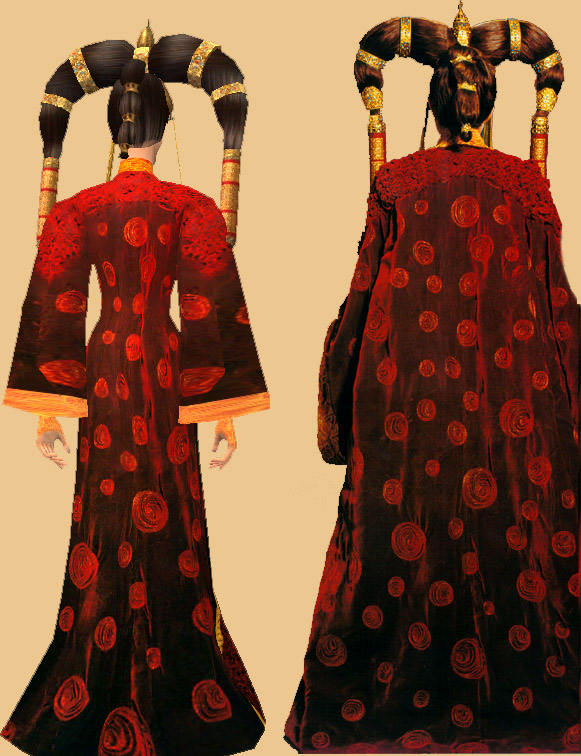
senate_gown2.jpg - width=581 height=756
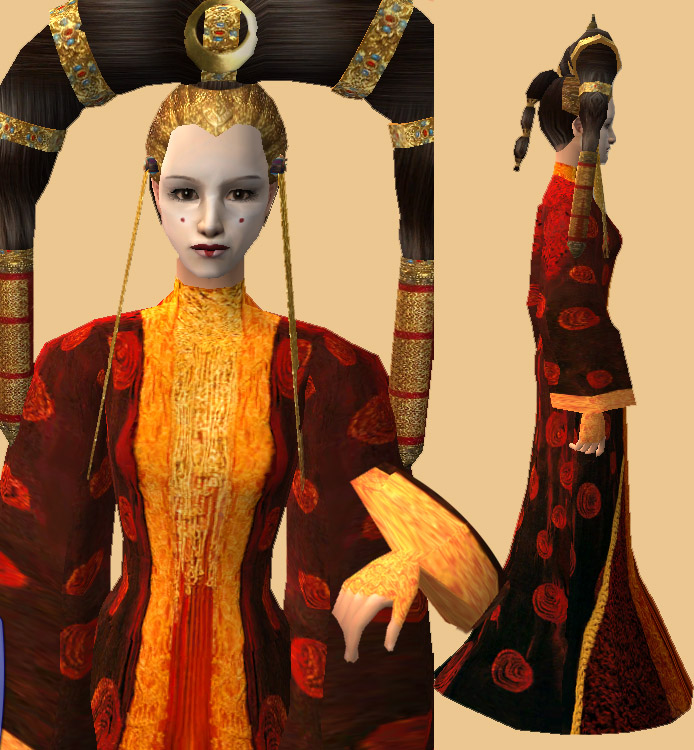
senate_gown3.jpg - width=694 height=750

Hi there....
personally.... I don't feel confident about this...
But here we go......
It's the senate gown Padme/Queen Amidala wore when she spoke before the senate *ha ha*.....
You'll need the mesh from evotiquien.....
It'll show up in everyday and formal...
The mesh for the gorgeous headdress is by Bipsouille:
Well... if you like it.... please show me one way or another
personally.... I don't feel confident about this...
But here we go......
It's the senate gown Padme/Queen Amidala wore when she spoke before the senate *ha ha*.....
You'll need the mesh from evotiquien.....
It'll show up in everyday and formal...
The mesh for the gorgeous headdress is by Bipsouille:
Well... if you like it.... please show me one way or another

This is a new mesh recolour, and means that you will need to download the particular mesh itself in order for this to show up in your game. See the Meshes Needed section or read the text for more information.
| Filename | Size | Downloads | Date | |||||
|
amidala_senate_gown.zip
Size: 608.9 KB · Downloads: 3,407 · 19th Aug 2006 |
608.9 KB | 3,407 | 19th Aug 2006 | |||||
| For a detailed look at individual files, see the Information tab. | ||||||||
Key:
- - File was updated after upload was posted
Install Instructions
Basic Download and Install Instructions:
1. Download: Click the download link to save the .rar or .zip file(s) to your computer.
2. Extract the zip, rar, or 7z file.
3. Place in Downloads Folder: Cut and paste the .package file(s) into your Downloads folder:
1. Download: Click the download link to save the .rar or .zip file(s) to your computer.
2. Extract the zip, rar, or 7z file.
3. Place in Downloads Folder: Cut and paste the .package file(s) into your Downloads folder:
- Origin (Ultimate Collection): Users\(Current User Account)\Documents\EA Games\The Sims™ 2 Ultimate Collection\Downloads\
- Non-Origin, Windows Vista/7/8/10: Users\(Current User Account)\Documents\EA Games\The Sims 2\Downloads\
- Non-Origin, Windows XP: Documents and Settings\(Current User Account)\My Documents\EA Games\The Sims 2\Downloads\
- Mac: Users\(Current User Account)\Documents\EA Games\The Sims 2\Downloads
- Mac x64: /Library/Containers/com.aspyr.sims2.appstore/Data/Library/Application Support/Aspyr/The Sims 2/Downloads
- For a full, complete guide to downloading complete with pictures and more information, see: Game Help: Downloading for Fracking Idiots.
- Custom content not showing up in the game? See: Game Help: Getting Custom Content to Show Up.
- If you don't have a Downloads folder, just make one. See instructions at: Game Help: No Downloads Folder.
Meshes needed
This download requires one or more meshes to work properly. Please check the Description tab for information about the meshes needed, then download them below:| MTS cannot guarantee any off-site links will be available |
| Big sleeve mesh v2 by evotiquien |
Also Thanked - Users who thanked this download also thanked:
Packs Needed
None, this is Sims 2 base game compatible!
Tags
#padme, #queen amidala, #Star wars, #senate gown
I love Star Wars ^^ hard to tell, huh?
http://i2.photobucket.com/albums/y2...Sims/banner.jpg
My Policy: (yeah I got myself one of these fancy things ^^)
You may use my textures and recolour them.
You may use my alphas to make your own.
You may include my costum content.
If you....
- used something I did to make your own stuff, please pm me with a link, because I want to see what you did (*nosy* ;) )
- used something I created, please link back...
Also: If you're proud of what you've done, I'll be happy to see it ;)
My Policy: (yeah I got myself one of these fancy things ^^)
You may use my textures and recolour them.
You may use my alphas to make your own.
You may include my costum content.
If you....
- used something I did to make your own stuff, please pm me with a link, because I want to see what you did (*nosy* ;) )
- used something I created, please link back...
Also: If you're proud of what you've done, I'll be happy to see it ;)
More Downloads BETA
Here are some more of my downloads: