
 Sign in to Mod The Sims
 Mayan Temple Casinò
 Mayan Temple Casinò
MTS has all free content, all the time. Donate to help keep it running.
SCREENSHOTS

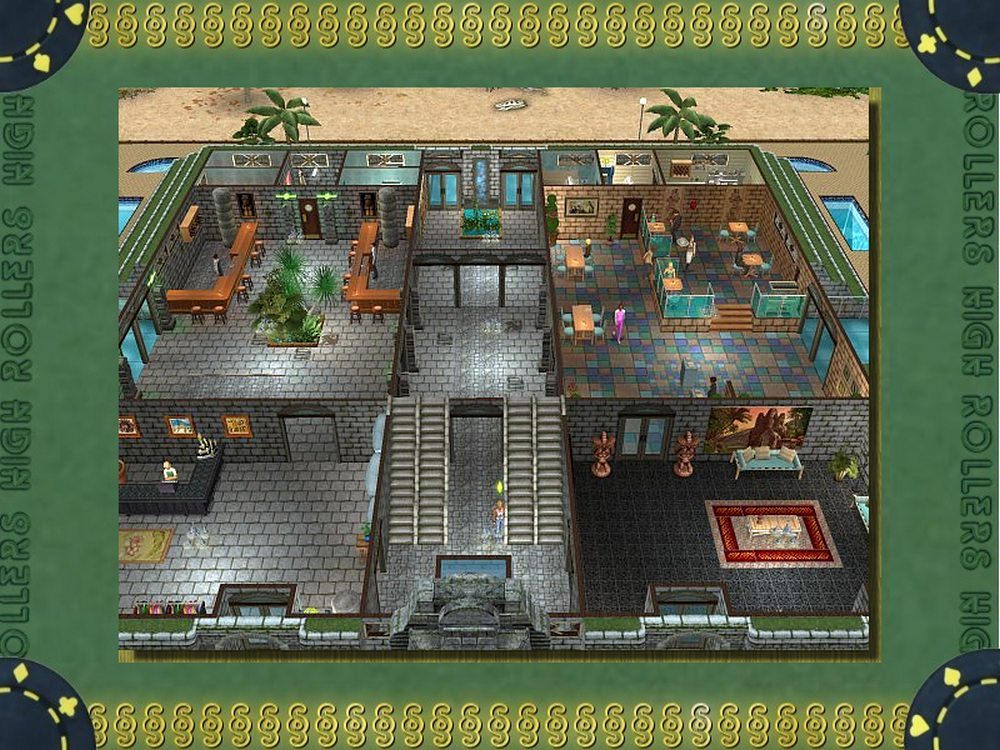
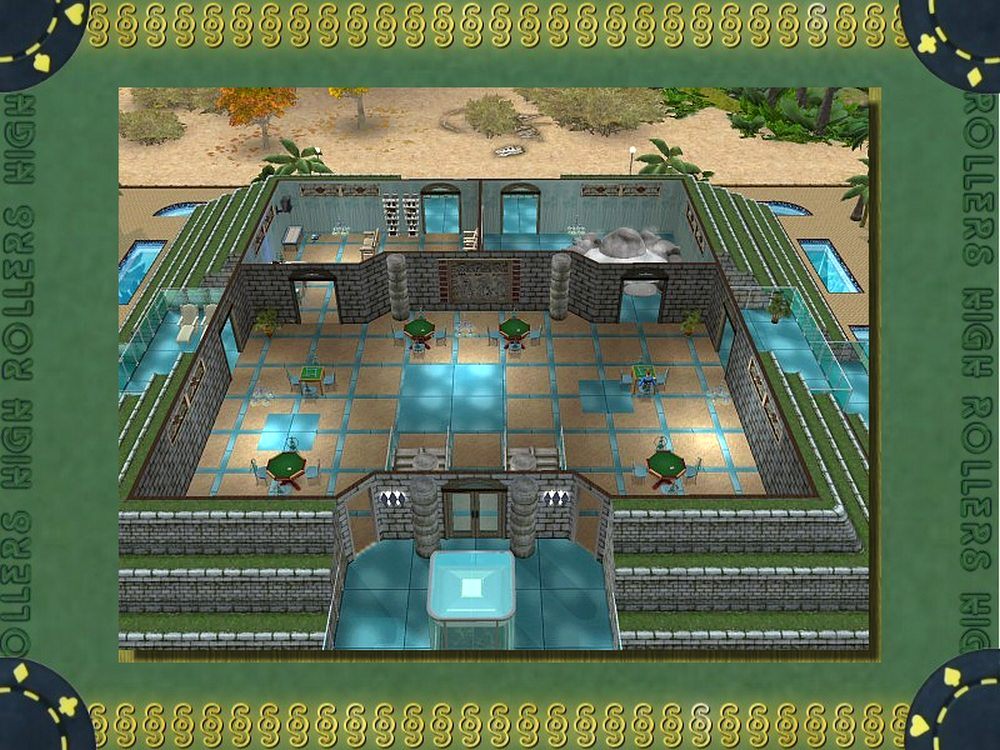
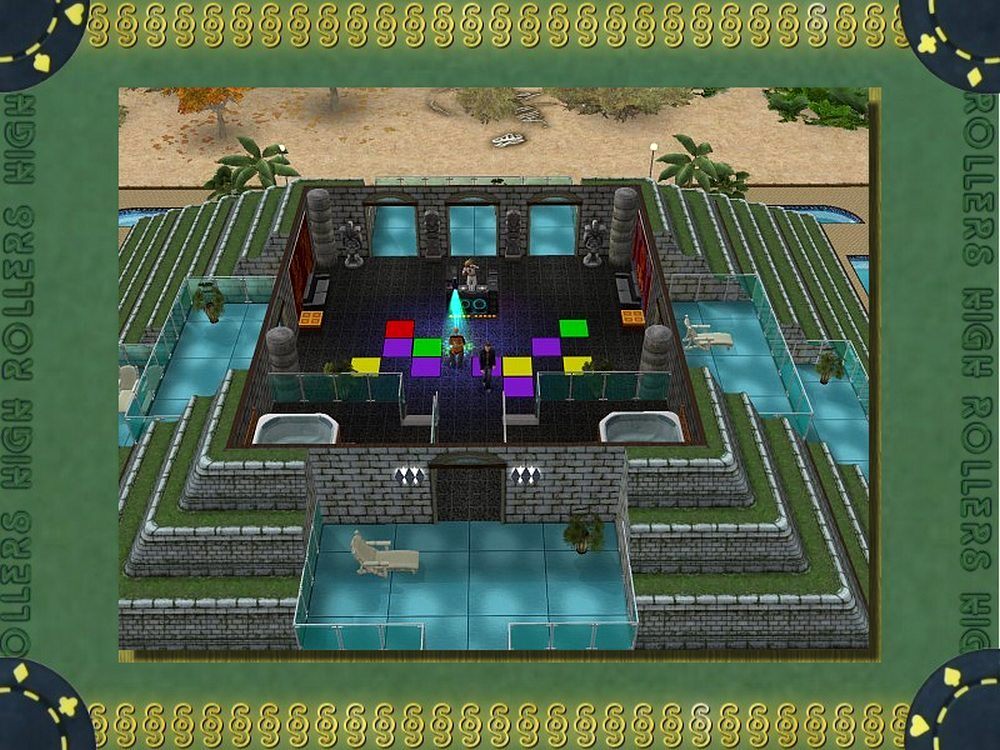
MTS2_Echo_837825_eg-mayan.jpg - width=1000 height=750
mayan temple -1 views.jpg - width=1000 height=750
mayan temple - 2.jpg - width=1000 height=750
mayan temple - 3.jpg - width=1000 height=750
mayan temple - 4.jpg - width=1000 height=750
mayan temple - 5 plan 1.jpg - width=1000 height=750
mayan temple - 6 plan 2.jpg - width=1000 height=750
mayan temple - 7 plan 3.jpg - width=1000 height=750

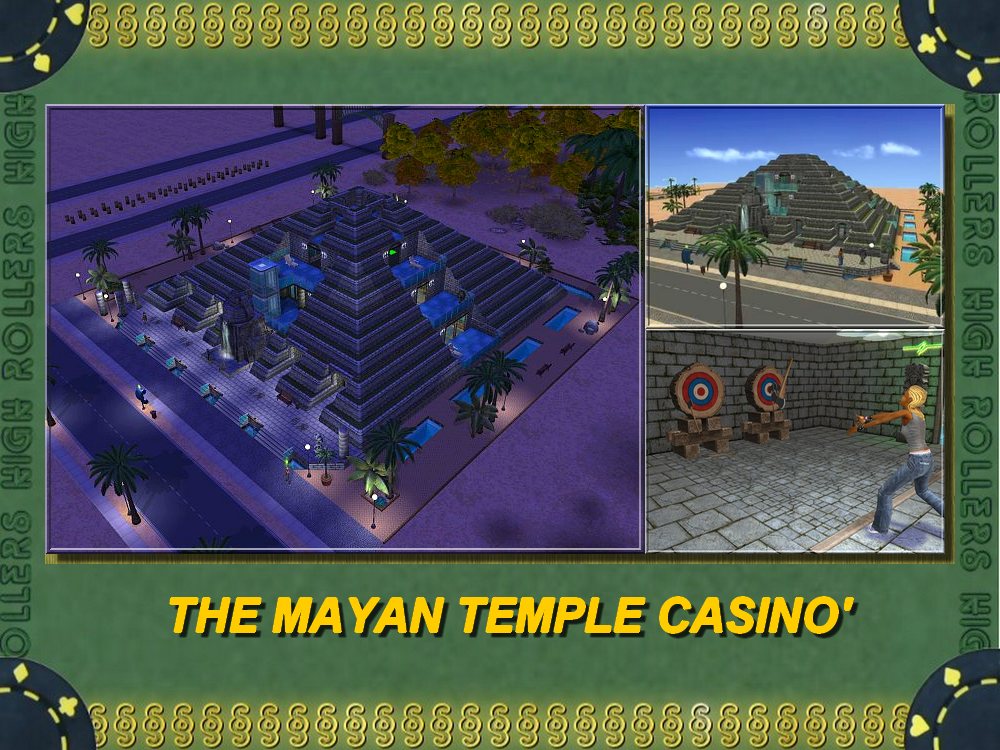
For a pre-industrial society, the Mayans sure knew how to build impressive looking buildings. The one thing they didn't quite get though, was what to put in those buildings. Dead rulers are all well and good, but gaming facilities and a great drinks bar is a whole lot more welcoming. This lot solves that problem very neatly.
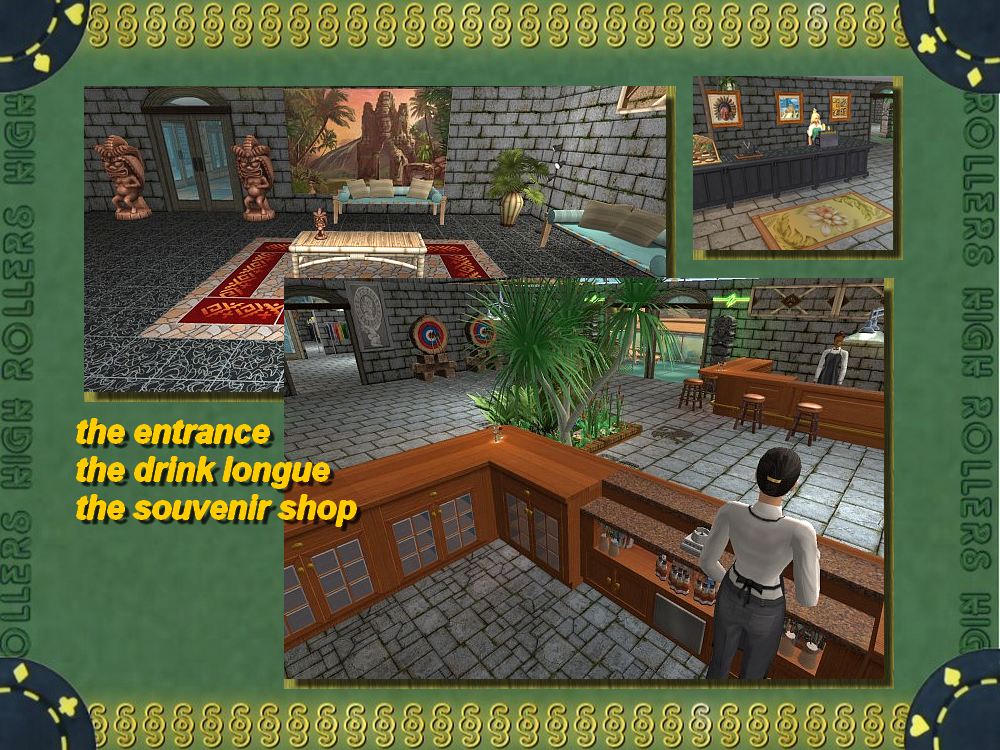
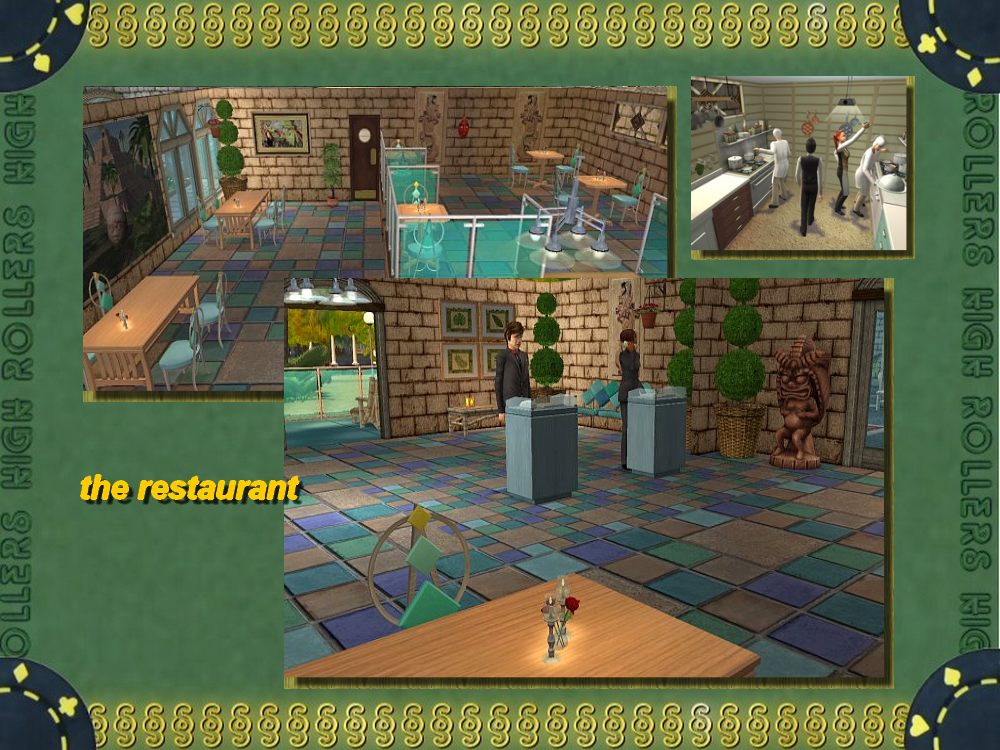
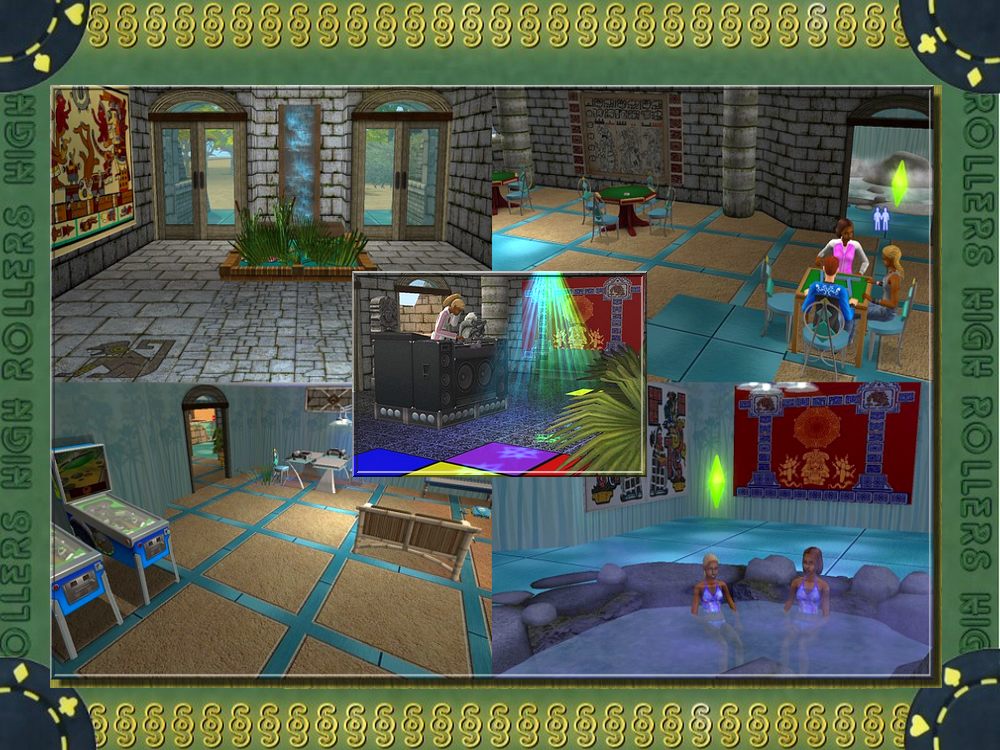
Inspired by traditional Mayan architecture and design, with all the mod-cons and entertainment you could want! Enjoy the lounge and souvenir shop, or book the exclusive party facilities for a really fun night.
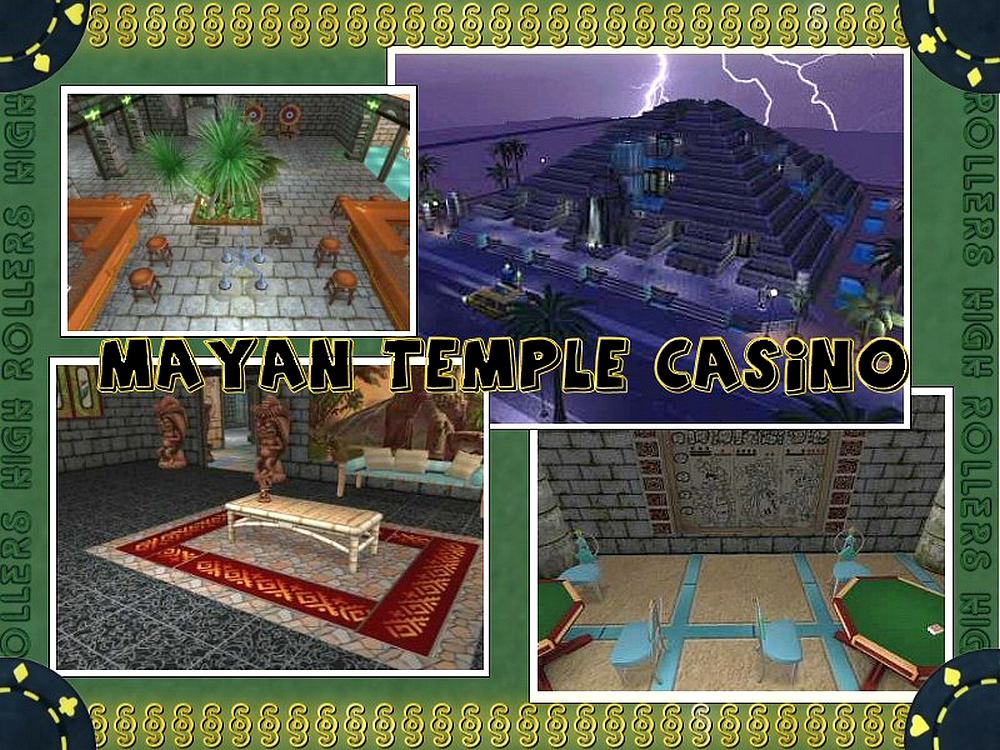
 Remember to install all the CC before installing the lot. Please refer to the main High Rollers Project thread for the complete set of recolors.
Required but not included content:
Drift Coffee Table by Buggybooz because it's the master object, you need it to get also the Drift Sofa
Lot Size: 4x3
Lot Price: 497,000
Custom Content by Me:
- mayan 11 - 1x1 - brown and blue - original creation by lamammaforever
- mayan 12 - 2x2 - brown and blue - original creation by lamammaforever
- mayan 13 - brown stones - original creation by lamammaforever
- Mayan 14 - 2x2 - simple floor -original creation by lamammaforever
- Mayan 15 - 2x2 - simple floor and blue border - original creation by lamammaforever
- Mayan 1 - maxis recolor - by lamammaforever
- Mayan 2 - maxis variation with snake rilief -left- by lamammaforever
- Mayan 3 - maxis variation with snake rilief -right- by lamammaforever
- Mayan 4 - plain and brick - original creation by lamammaforever
- Mayan 8 - maxis variation with rilief -right- by lamammaforever
- Mayan 9 - maxis variation with rilief -left- by lamammaforever
- sci-fi 8 - teal metal floor 2x2 - original creation by lamammaforever
- magazinerack_light_blue_wood recolor
- paintingfindecicle2_mayan_idol
- paintingsquare-meg_mayan_head
- paintingsquare-meg_mayan_pyramid
- paintingsquare-meg_mayan_symbols
- paintingveggiesuite_4leaves-audrycharlene
- Bonapettizon podium light blue wood recolor
- runner_mayanborder recolor
- trashcompactor_ white_recolor
- twodogsandolive_mayan_forest_1
- twodogsandolive_mayan_forest_
- twodogsandolive_mayan_forest_3
- twodogsandolive_mayan_gods_1
- twodogsandolive_mayan_gods_2
- twodogsandolive_mayan_gods_3
- twodogsandolive_mayan_gods_4
- twodogsandolive_mayan_temple
- videogamerack_light_blue_wood recolor
Custom Content Included:
- Cordyline australis (3,5 m) by alex_stanton1983 at MTS
- Drift Sofa by buggybooz at MTS
- Drift Sofa recolor by buggybooz at MTS
- The Glass Elevator by Macarossi by macarossi
- Scattered Rocks by nengi65 (stored at simsgraveyard)
Additional Credits:
- to all creators mentioned here and to all those not mentioned who constantly inspire us with their work, here at MTS2 or at other sites: you're great guys!
- to Numenor for his CEP and AGS (with which was originally built this lot)
- to Echo and the whole Highrollers crew
Inspired by traditional Mayan architecture and design, with all the mod-cons and entertainment you could want! Enjoy the lounge and souvenir shop, or book the exclusive party facilities for a really fun night.
 Remember to install all the CC before installing the lot. Please refer to the main High Rollers Project thread for the complete set of recolors.
 Required but not included content:
Drift Coffee Table by Buggybooz because it's the master object, you need it to get also the Drift Sofa
Lot Size: 4x3
Lot Price: 497,000
Custom Content by Me:
- mayan 11 - 1x1 - brown and blue - original creation by lamammaforever
- mayan 12 - 2x2 - brown and blue - original creation by lamammaforever
- mayan 13 - brown stones - original creation by lamammaforever
- Mayan 14 - 2x2 - simple floor -original creation by lamammaforever
- Mayan 15 - 2x2 - simple floor and blue border - original creation by lamammaforever
- Mayan 1 - maxis recolor - by lamammaforever
- Mayan 2 - maxis variation with snake rilief -left- by lamammaforever
- Mayan 3 - maxis variation with snake rilief -right- by lamammaforever
- Mayan 4 - plain and brick - original creation by lamammaforever
- Mayan 8 - maxis variation with rilief -right- by lamammaforever
- Mayan 9 - maxis variation with rilief -left- by lamammaforever
- sci-fi 8 - teal metal floor 2x2 - original creation by lamammaforever
- magazinerack_light_blue_wood recolor
- paintingfindecicle2_mayan_idol
- paintingsquare-meg_mayan_head
- paintingsquare-meg_mayan_pyramid
- paintingsquare-meg_mayan_symbols
- paintingveggiesuite_4leaves-audrycharlene
- Bonapettizon podium light blue wood recolor
- runner_mayanborder recolor
- trashcompactor_ white_recolor
- twodogsandolive_mayan_forest_1
- twodogsandolive_mayan_forest_
- twodogsandolive_mayan_forest_3
- twodogsandolive_mayan_gods_1
- twodogsandolive_mayan_gods_2
- twodogsandolive_mayan_gods_3
- twodogsandolive_mayan_gods_4
- twodogsandolive_mayan_temple
- videogamerack_light_blue_wood recolor
Custom Content Included:
- Cordyline australis (3,5 m) by alex_stanton1983 at MTS
- Drift Sofa by buggybooz at MTS
- Drift Sofa recolor by buggybooz at MTS
- The Glass Elevator by Macarossi by macarossi
- Scattered Rocks by nengi65 (stored at simsgraveyard)
Additional Credits:
- to all creators mentioned here and to all those not mentioned who constantly inspire us with their work, here at MTS2 or at other sites: you're great guys!
- to Numenor for his CEP and AGS (with which was originally built this lot)
- to Echo and the whole Highrollers crew
| Filename | Size | Downloads | Date | |||||
|
recolors Mayan Casinò.rar
Size: 2.57 MB · Downloads: 2,009 · 21st Jul 2009 |
2.57 MB | 2,009 | 21st Jul 2009 | |||||
|
The Mayan Temple Casino.rar
Size: 2.49 MB · Downloads: 2,693 · 21st Jul 2009 |
2.49 MB | 2,693 | 21st Jul 2009 | |||||
| For a detailed look at individual files, see the Information tab. | ||||||||
Key:
- - File was updated after upload was posted
Install Instructions
Basic Download and Install Instructions:
1. Download: Click the download link to save the .rar or .zip file(s) to your computer.
2. Extract the zip, rar, or 7z file.
3. Install: Double-click on the .sims2pack file to install its contents to your game. The files will automatically be installed to the proper location(s).
1. Download: Click the download link to save the .rar or .zip file(s) to your computer.
2. Extract the zip, rar, or 7z file.
3. Install: Double-click on the .sims2pack file to install its contents to your game. The files will automatically be installed to the proper location(s).
- You may want to use the Sims2Pack Clean Installer instead of the game's installer, which will let you install sims and pets which may otherwise give errors about needing expansion packs. It also lets you choose what included content to install. Do NOT use Clean Installer to get around this error with lots and houses as that can cause your game to crash when attempting to use that lot. Get S2PCI here: Clean Installer Official Site.
- For a full, complete guide to downloading complete with pictures and more information, see: Game Help: Downloading for Fracking Idiots.
- Custom content not showing up in the game? See: Game Help: Getting Custom Content to Show Up.
Also Thanked - Users who thanked this download also thanked:
Packs Needed
Other Information
Number of bedrooms:
– Not Applicable
: For Commercial Lots
Custom Content Included:
– Build and Buy Mode Content
: Furniture, decorations, etc.
Furnishings:
– Fully Furnished
: Lot is completely decked out in furnishings
Special Flags:
– Not Applicable
Tags
Packs Needed
| Base Game | |
|---|---|
 | Sims 2 |
| Expansion Pack | |
|---|---|
 | Nightlife |
 | Open for Business |
 | Seasons |
 | Bon Voyage |