
 Sign in to Mod The Sims
 Medieval NPC Replacements: Bon Voyage
 Medieval NPC Replacements: Bon Voyage
MTS has all free content, all the time. Donate to help keep it running.
SCREENSHOTS
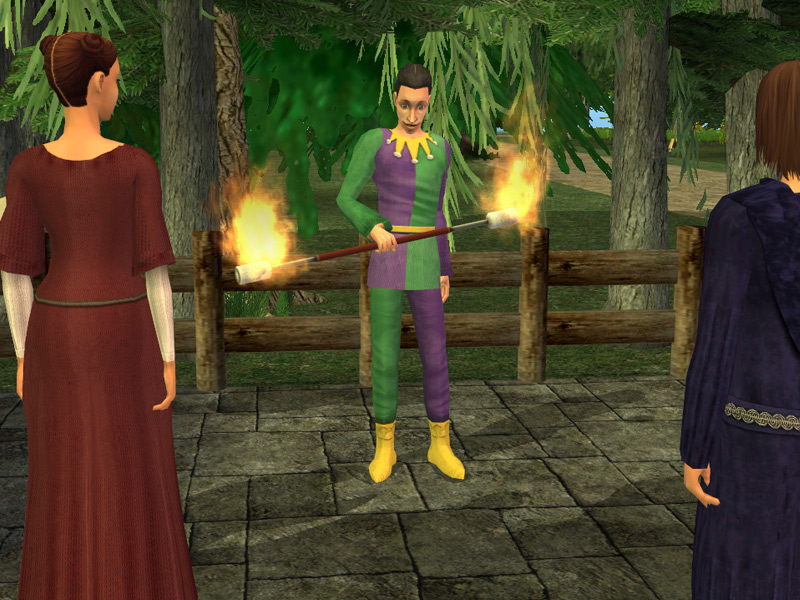
InvisibleFireMat.jpg - width=800 height=600
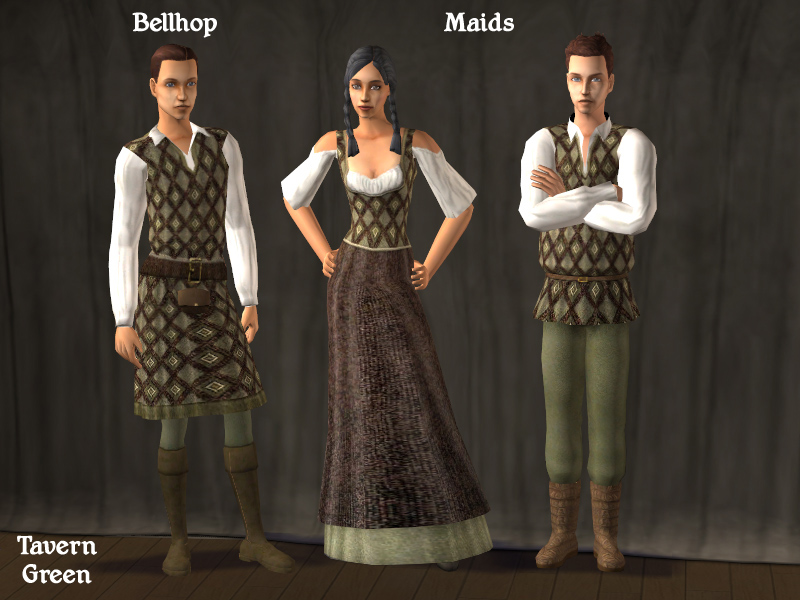
TavernGreenHotel.jpg - width=800 height=600
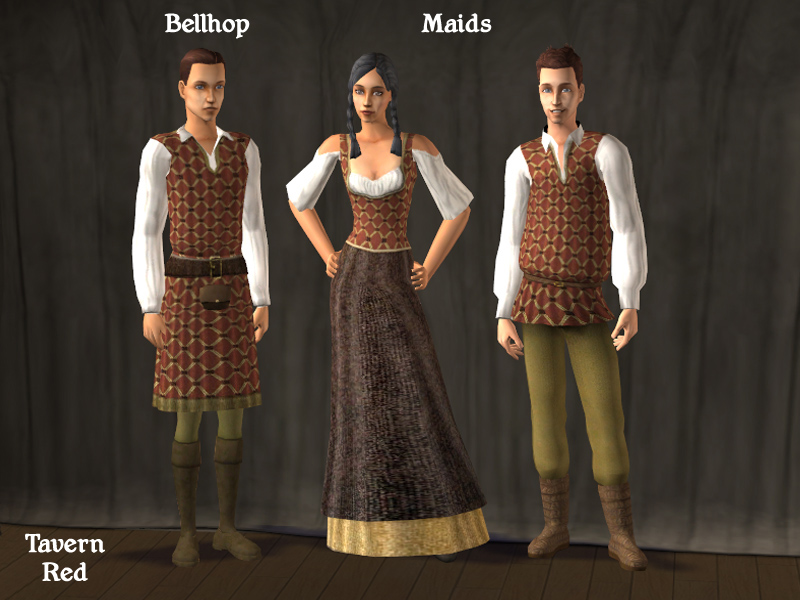
TavernRedHotel.jpg - width=800 height=600
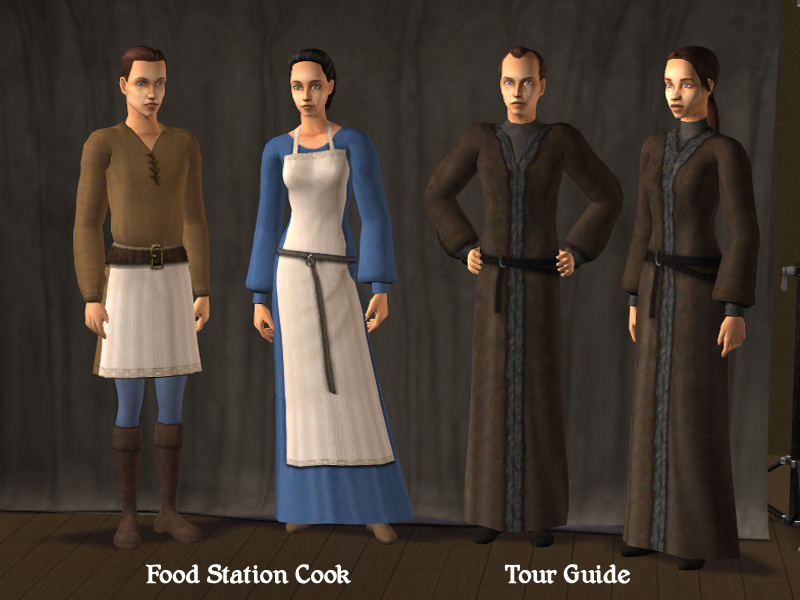
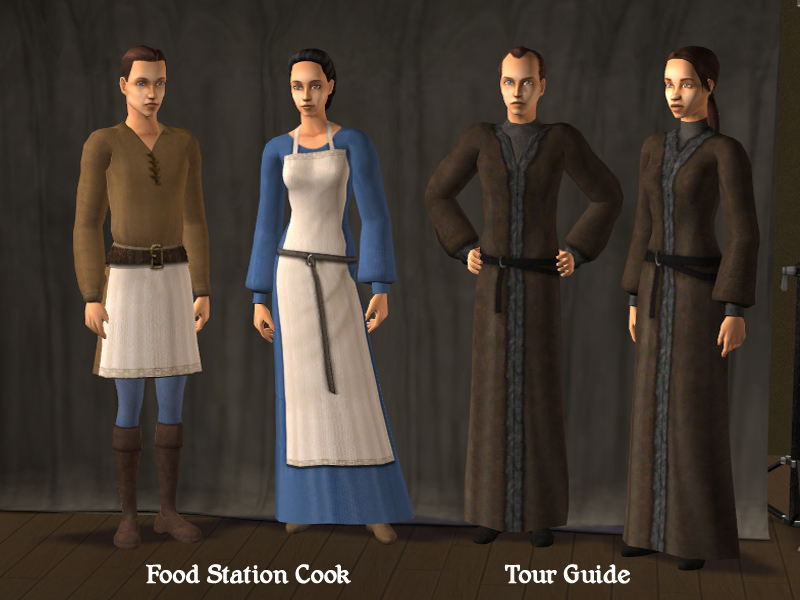
Cook-TourGuide.jpg - width=800 height=600
UC-Masseuse-FireDancer.jpg - width=800 height=600

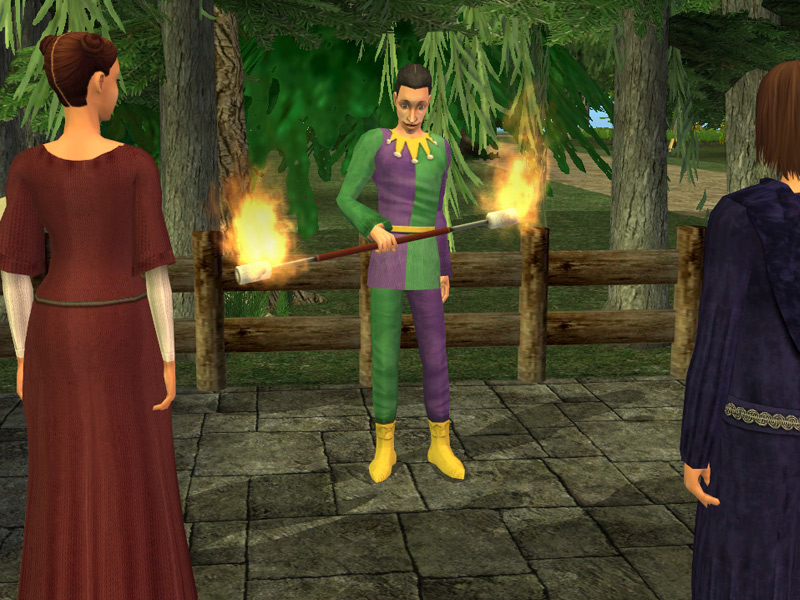
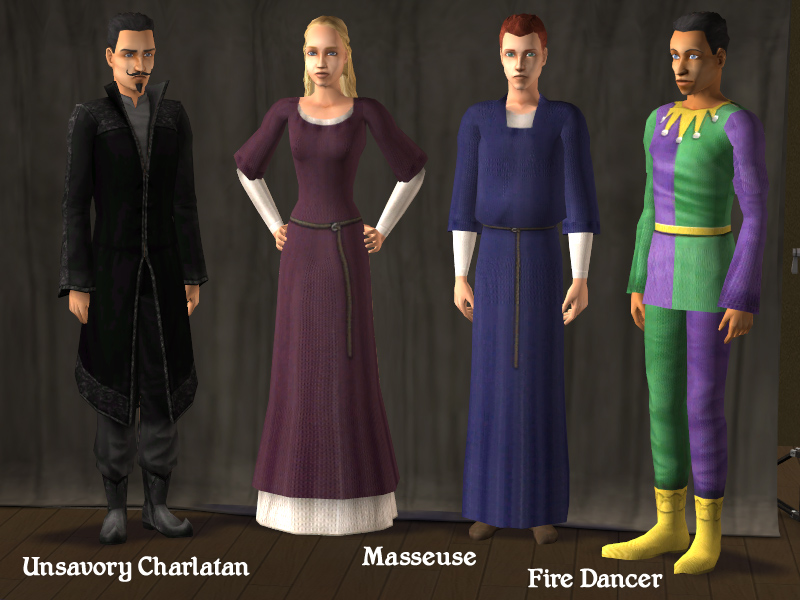
This game mod features a set of default NPC replacements for the Bon Voyage expansion. Using these replacements, your NPCs will automatically appear in your game wearing era appropriate apparel.
NPC's included:
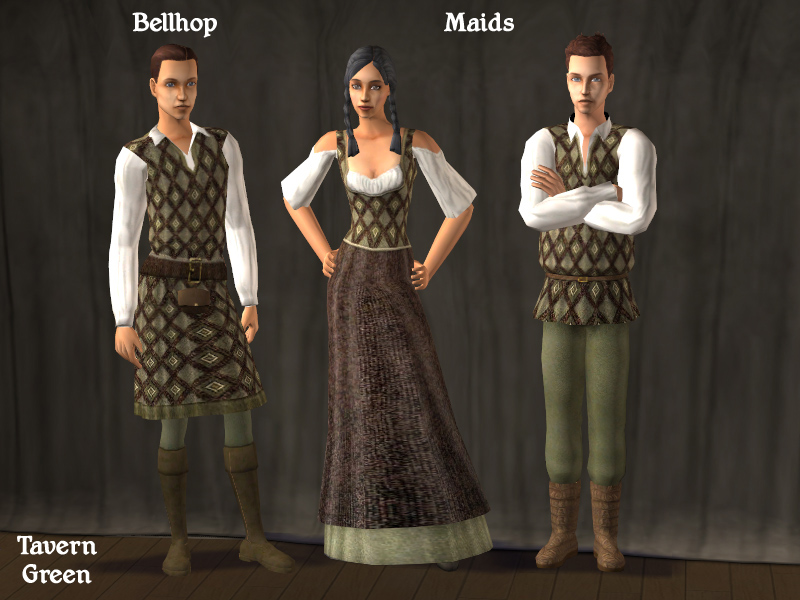
Bellhop
Housekeeper
Food Stand Cook
Masseuse
Tour Guide
Unsavory Charlatan
Fire Dancer
The hotel workers (Bellhop & Housekeepers) come in two color options - Tavern Green or Tavern Red to match the Nightlife expansion NPCs. Now your tavern restaurant can include an inn for an integrated lot design.
INFORMATION:
Each NPC replacement package already includes the necessary mesh required, therefore you do NOT need to download any additional files or meshes for this set to work. However, if you would like your playable characters to wear the included apparel too, download the mesh files from the credits list below.
Remember that you can only use one type of NPC replacement at a time, but you can swap them out as often as you prefer. Since this set offers two sets of hotel workers you'll need to choose only one to place in your downloads folder. The rest of the Bon Voyage NPCs only come in one apparel choice, so they won't need to be swapped unless you wish to return to the original game NPCs.
INSTRUCTIONS:
Several folders have been provided, one includes the apparel files, the other NPC replacement files. The apparel are non-default and do not need to be swapped out (they can also be worn by your playable characters if you have the correct meshes listed in the credits). The NPC Replacements are the defaults and you can only have one set of each character at a time in your game. Put all these files directly into your Sims2 -> Downloads folder.
CREDITS:
IamLiz13 for textures-
Meshy's Sims for textures used on the Fire Dancer.
Aligeth for meshes -
- MESH_CLM_AMNightshirt_Jul07.package (Used for Male Tour Guide, Masseuse)
- MESH_CLM_Chemise_Jul07.package (Used for Female Tour Guide, Cook)
- MESH_CLM_EMNightshirt_Aug07.package (Used for Male Masseuse)
Tiggerypum for meshes found in the Dark Project-
- MESH-tig-af-layeredmedieval.package (Used for Female Masseuse, Maid)
- MESH-tig-tm-renshirt1.package (Used for Maid)
Mirkwood Sims for mesh -
- MESH_mirk_am2901.package (Used for Cook)
Parsimonious for mesh-
- mesh_k8parsmaccourtier140206.package (Used for Fire Dancer)
| Filename | Size | Downloads | Date | |||||
|
sunni9676-MedievalNPCs_BonVoyage.rar
Size: 6.25 MB · Downloads: 6,726 · 13th Aug 2010 |
6.25 MB | 6,726 | 13th Aug 2010 | |||||
| For a detailed look at individual files, see the Information tab. | ||||||||
Key:
- - File was updated after upload was posted
Install Instructions
Basic Download and Install Instructions:
1. Download: Click the download link to save the .rar or .zip file(s) to your computer.
2. Extract the zip, rar, or 7z file.
3. Place in Downloads Folder: Cut and paste the .package file(s) into your Downloads folder:
1. Download: Click the download link to save the .rar or .zip file(s) to your computer.
2. Extract the zip, rar, or 7z file.
3. Place in Downloads Folder: Cut and paste the .package file(s) into your Downloads folder:
- Origin (Ultimate Collection): Users\(Current User Account)\Documents\EA Games\The Sims™ 2 Ultimate Collection\Downloads\
- Non-Origin, Windows Vista/7/8/10: Users\(Current User Account)\Documents\EA Games\The Sims 2\Downloads\
- Non-Origin, Windows XP: Documents and Settings\(Current User Account)\My Documents\EA Games\The Sims 2\Downloads\
- Mac: Users\(Current User Account)\Documents\EA Games\The Sims 2\Downloads
- Mac x64: /Library/Containers/com.aspyr.sims2.appstore/Data/Library/Application Support/Aspyr/The Sims 2/Downloads
- For a full, complete guide to downloading complete with pictures and more information, see: Game Help: Downloading for Fracking Idiots.
- Custom content not showing up in the game? See: Game Help: Getting Custom Content to Show Up.
- If you don't have a Downloads folder, just make one. See instructions at: Game Help: No Downloads Folder.
Also Thanked - Users who thanked this download also thanked:
Packs Needed
Other Information
Type:
– Global Mods
: Mods that change the way the game works without requiring any user intervention.
– Default NPCs
: Default Replacement NPCs
Tags
#medieval, #bon voyage, #jester, #fire dancer, #charlatan, #food station, #tour guide, #bellhop, #housekeeper, #maid, #hotel, #inn, #vacation, #massage, #masseuse
Packs Needed
| Base Game | |
|---|---|
 | Sims 2 |
| Expansion Pack | |
|---|---|
 | Bon Voyage |
About Me
http://www.sunni.us/sunnidesignsimages-brown.jpg
Please visit my site at www.sunni.us to view and download my creations!
-----------------------------------------------------------
My Policy Regarding My Creations:
Do whatever you want to my stuffs, just keep it FREE and give credit (either link here to MTS2 or my personal site).
Please visit my site at www.sunni.us to view and download my creations!
-----------------------------------------------------------
My Policy Regarding My Creations:
Do whatever you want to my stuffs, just keep it FREE and give credit (either link here to MTS2 or my personal site).
More Downloads BETA
Here are some more of my downloads: