
 Sign in to Mod The Sims
 ~REQUEST~ [ Introverted Heart ] - Pose Box
 ~REQUEST~ [ Introverted Heart ] - Pose Box
MTS has all free content, all the time. Donate to help keep it running.
SCREENSHOTS

2.jpg - width=918 height=833
In-game
3.jpg - width=918 height=833
In-game
4.jpg - width=918 height=833
In-game
Ingame Box Graphic.png - width=256 height=256
In game preview.

Uploaded: 26th Aug 2011 at 8:27 PM
Updated: 28th Aug 2011 at 12:45 AM
Updated: 28th Aug 2011 at 12:45 AM
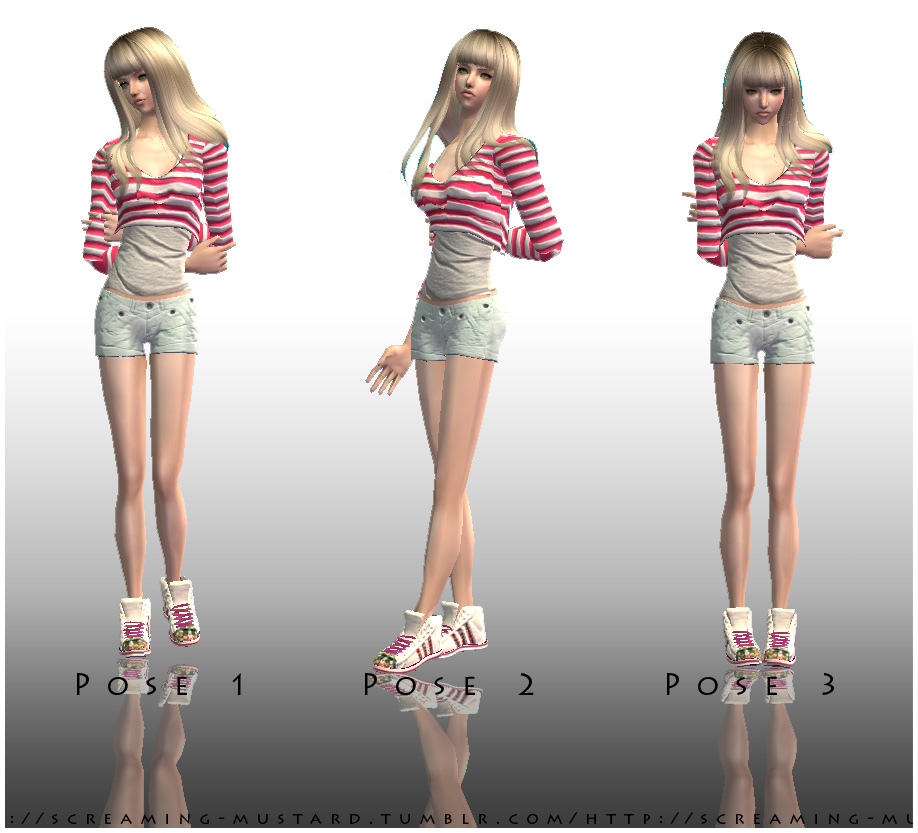
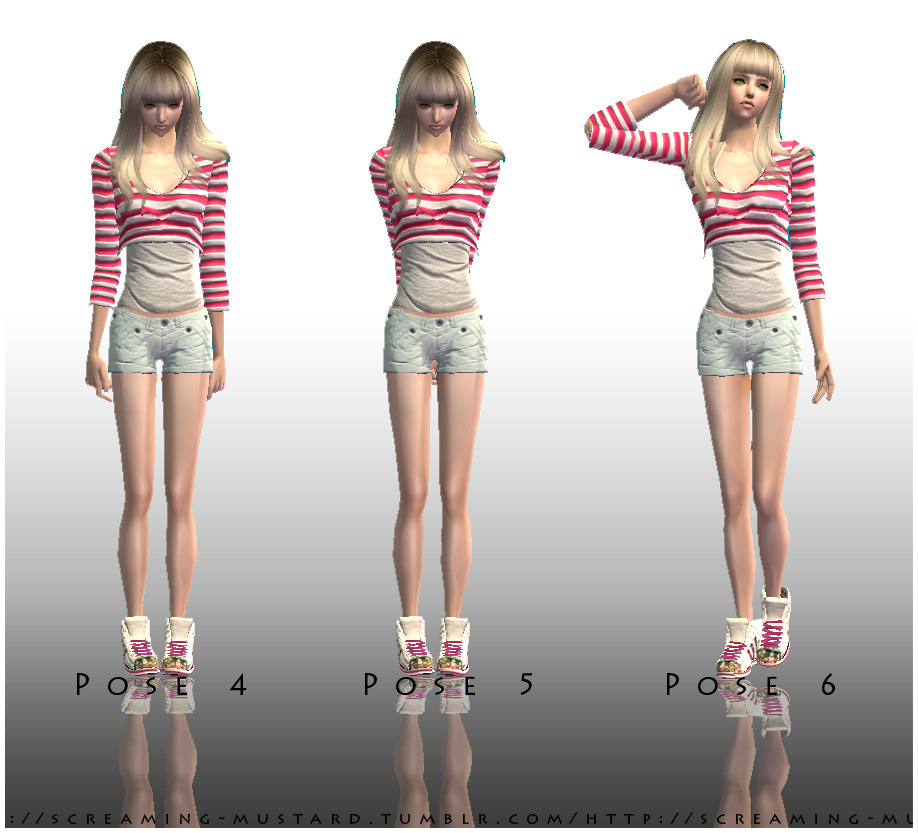
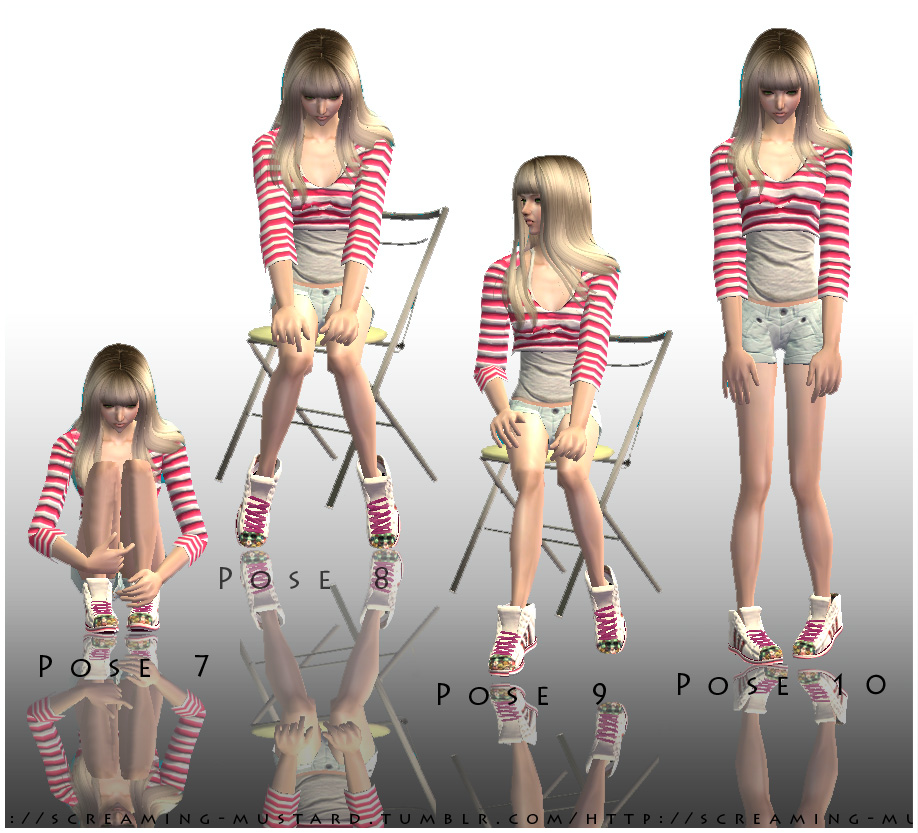
Ah, a new pose box request fulfilled. This pose box is especially for shy and socially awkward Sims who wish to look uncomfortable and out of their depth within large crowds of other Sims.
Perhaps your introvert Sim just wants to huddle alone in a corner, or stare at their shoes while others pass by? Now they can!

The poses are 1 – 10, named in that order and are shown in the accompanying pictures bellow.
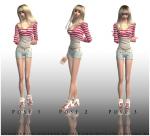
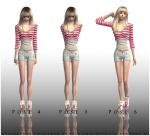
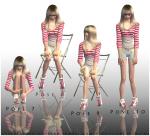
This pose box is for adults and teens and is free, found in the hobbies -> miscellaneous section of Buy Mode.
~~~PHOTO CREDITS~~~
Hair by -> Coolsims
Clothing by -> Crystal Sims
Skins by -> E-Studio
Object (poorly made chair) by -> ME!
Enjoy!
Perhaps your introvert Sim just wants to huddle alone in a corner, or stare at their shoes while others pass by? Now they can!
The poses are 1 – 10, named in that order and are shown in the accompanying pictures bellow.


This pose box is for adults and teens and is free, found in the hobbies -> miscellaneous section of Buy Mode.
~~~PHOTO CREDITS~~~
Hair by -> Coolsims
Clothing by -> Crystal Sims
Skins by -> E-Studio
Object (poorly made chair) by -> ME!
Enjoy!
Additional Credits:
SimPE, Blender...
| Filename | Size | Downloads | Date | |||||
|
[ Introverted Heart ] - Pose Box.zip
| [ Introverted Heart ] - Pose Box
Size: 34.0 KB · Downloads: 32,891 · 26th Aug 2011 |
34.0 KB | 32,891 | 26th Aug 2011 | |||||
| For a detailed look at individual files, see the Information tab. | ||||||||
Key:
- - File was updated after upload was posted
Install Instructions
Basic Download and Install Instructions:
1. Download: Click the download link to save the .rar or .zip file(s) to your computer.
2. Extract the zip, rar, or 7z file.
3. Place in Downloads Folder: Cut and paste the .package file(s) into your Downloads folder:
1. Download: Click the download link to save the .rar or .zip file(s) to your computer.
2. Extract the zip, rar, or 7z file.
3. Place in Downloads Folder: Cut and paste the .package file(s) into your Downloads folder:
- Origin (Ultimate Collection): Users\(Current User Account)\Documents\EA Games\The Sims™ 2 Ultimate Collection\Downloads\
- Non-Origin, Windows Vista/7/8/10: Users\(Current User Account)\Documents\EA Games\The Sims 2\Downloads\
- Non-Origin, Windows XP: Documents and Settings\(Current User Account)\My Documents\EA Games\The Sims 2\Downloads\
- Mac: Users\(Current User Account)\Documents\EA Games\The Sims 2\Downloads
- Mac x64: /Library/Containers/com.aspyr.sims2.appstore/Data/Library/Application Support/Aspyr/The Sims 2/Downloads
- For a full, complete guide to downloading complete with pictures and more information, see: Game Help: Downloading for Fracking Idiots.
- Custom content not showing up in the game? See: Game Help: Getting Custom Content to Show Up.
- If you don't have a Downloads folder, just make one. See instructions at: Game Help: No Downloads Folder.
Also Thanked - Users who thanked this download also thanked:
UPDATE
I'm no longer active for TS2 or TS3 but I still follow these boards.
More Downloads BETA
Here are some more of my downloads: